This page is the dedicated home for SkyReels V4 tutorial intent. It should answer practical questions like how to write better SkyReels V4 prompts, how to combine image references in SkyReels V4, how to structure camera language, and how to keep SkyReels V4 results more stable across multiple generations. The SkyReels V4 product page is where users decide whether the SkyReels V4 model is relevant. This SkyReels V4 guide is where they decide whether they can actually operate the model well.
That distinction matters for both user experience and SkyReels V4 SEO. Users searching for "SkyReels V4 prompt guide" or "how to use SkyReels V4" are not looking for product positioning alone. They are looking for a repeatable SkyReels V4 method. If the SkyReels V4 guide only repeats marketing copy, it fails both the reader and the search intent.
The main principle: one prompt should solve one shot objective
The most common mistake in AI video prompting is trying to force too many goals into one SkyReels V4 generation. A weak SkyReels V4 prompt often tries to describe the subject, environment, and motion all at once.
That makes the instruction harder to interpret because not every detail has the same priority in SkyReels V4. SkyReels V4 should be treated less like a magic slot machine and more like a production assistant. The clearer the SkyReels V4 shot objective, the easier it is for the SkyReels V4 system to resolve what matters.
So the first SkyReels V4 rule is simple: one shot, one dominant action, one clear hierarchy of SkyReels V4 constraints.
A practical prompt formula for SkyReels V4
A useful prompt usually has five layers:
- Subject
- Action
- Environment
- Camera language
- Quality or continuity constraints
A compact structure looks like this:
Subject + action + environment + camera movement + lighting/mood + continuity requirement
For example:
A fashion model in a reflective silver jacket walks through a rainy neon street at night, medium shot, slow dolly forward, shallow depth of field, cinematic reflections, consistent facial identity, realistic wet pavement.
That prompt is not valuable because it is long. It is valuable because it is ordered. It starts with who is in the shot, then what happens, then where it happens, then how the camera behaves, and only after that adds quality constraints.
How to separate prompt layers correctly
1. Subject layer
The subject layer tells SkyReels V4 what the shot is fundamentally about. This is not where you write every SkyReels V4 style keyword you know. This is where you define the main SkyReels V4 actor or object clearly.
Good examples:
- a female runner in a silver training jacket
- a black sports car parked under neon signage
- a basketball falling through a hoop in slow motion
- a close-up portrait of a chef plating a dish in a stainless steel kitchen
Weak examples:
- an amazing cinematic scene with dramatic vibes
- a cool futuristic moment
- a stylish person doing something beautiful
If the subject is vague, every later instruction becomes less reliable.
2. Action layer
The action layer explains what changes over time. Video prompts are not image prompts with more adjectives. Motion is the point. If the action is not clear, the result often looks static, random, or physically incoherent.
Strong actions:
- walks toward camera
- turns head and smiles briefly
- reaches for the door handle
- dribbles, jumps, and dunks
- rain begins to intensify while the camera pushes in
Weak actions:
- dramatic movement
- cinematic energy
- dynamic feeling
If the action contains too many events, break it into separate shots.
Shot planning: don't ask one prompt to do a whole sequence
A reliable workflow uses multiple prompts for multiple shot goals. If you want an establishing shot, a close-up, and a reaction shot, treat those as three separate prompts. This matters because users often expect a single generation to behave like a fully edited mini-scene. That expectation usually produces unstable results.
A better sequence plan might be:
- Shot 1: establishing street view
- Shot 2: medium shot of subject walking
- Shot 3: close-up on face under neon reflections
- Shot 4: detail shot of footsteps on wet pavement
Each shot gets its own objective. Then you use visual references and recurring language to preserve continuity.
Camera language for better results
One of the easiest ways to improve SkyReels V4 output quality is to give the SkyReels V4 camera a job. Many weak SkyReels V4 prompts describe only the scene and forget the camera. That leaves the SkyReels V4 system to guess how the viewer is supposed to experience the moment.
Useful camera terms include:
- close-up
- medium shot
- wide shot
- slow dolly forward
- handheld follow shot
- overhead angle
- low angle
- locked camera
- shallow depth of field
- slow push-in
The key is not to stack conflicting terms. For example, "wide close-up with sweeping locked camera and handheld stability" is a bad instruction because it mixes incompatible ideas. Pick one dominant camera behavior.
Environment and mood should support the objective
Writers often overload prompts with style tags because they think more descriptive text always improves results. In practice, the environment and mood should support the SkyReels V4 scene objective, not replace it.
A better SkyReels V4 environment description:
rainy neon street at night with reflective pavement and diffused SkyReels V4 signage glow
A weaker environment description:
epic cyberpunk masterpiece with insane vibes and ultra-beautiful lighting
Mood is useful, but only when it narrows the visual outcome. Good mood words are attached to scene function: tense, dreamlike, documentary, romantic, cold, desaturated, fast-paced. Bad mood words are vague praise words.
How to use image references well
Image references are most useful in SkyReels V4 when they lock one important variable instead of trying to control everything at once. The best SkyReels V4 use cases are:
- SkyReels V4 face identity
- SkyReels V4 wardrobe consistency
- SkyReels V4 composition direction
- SkyReels V4 color palette or tone
- SkyReels V4 product appearance
If the face matters, attach a face reference. If the outfit matters, attach a style or clothing reference. If the overall frame matters, attach a composition reference. But do not assume one image will perfectly solve identity, style, action, and camera path all at once.
Use references intentionally:
- one image for identity
- one image for style
- one prompt for motion
- one camera instruction for viewer perspective
That separation usually creates cleaner generations than trying to bury every requirement inside one sentence.
How to use audio guidance without overestimating it
SkyReels V4 is positioned around joint audio and video generation, which means audio is part of the product story. But operationally, audio should be treated as a guidance signal, not a substitute for visual direction.
Audio can help with:
- mood and rhythm
- perceived pacing
- beat-driven motion
- lip-sync or timing context in future iterations
Audio cannot replace:
- clear subject definition
- camera direction
- environment setup
- identity constraints
A good workflow is to get the scene logic right first, then test whether audio guidance adds something useful.
Negative prompts: when to use them and when not to
Negative prompts become useful when the same failure keeps repeating. They are not mandatory for every shot. Overusing them can make prompts noisy and contradictory.
Good negative prompt use cases:
- avoid extra limbs
- avoid face distortion
- avoid heavy flicker
- avoid blurry background artifacts
- avoid duplicated subjects
Bad negative prompt use cases:
- dumping twenty unrelated things into the field just in case
- using negative prompts before the positive prompt is even clear
The right order is:
- fix the main prompt first
- add references if needed
- add a negative prompt only if a repeat failure pattern remains
A step-by-step SkyReels V4 workflow
Step 1: define the shot objective
Write down what the shot must achieve in one sentence. Not what the whole video should achieve. Just the shot.
Example:
Show a fashion model walking toward camera through a rainy neon alley with stable identity and cinematic reflections.
Step 2: write the first prompt draft
Turn that objective into the five-layer structure.
Step 3: decide whether a reference is necessary
Ask:
- do I need the same face?
- do I need the same costume?
- do I need the same product design?
If yes, use a reference image.
Step 4: add camera language
Make the viewer perspective explicit.
Step 5: run the first generation and document the failure
Do not simply say “this looks bad.” Say what failed.
- face drifted
- motion too weak
- camera ignored the push-in
- scene too static
- lighting too flat
Step 6: revise only one variable at a time
If you change every variable at once, you will not know what improved the result.
Prompt examples by intent
Example A: SkyReels V4 product-style cinematic clip
A futuristic SkyReels V4 silver device rotates slowly on a reflective black pedestal, dramatic studio lighting, close-up SkyReels V4 product shot, slow camera orbit, crisp highlights, luxury commercial aesthetic, no background clutter.
Example B: SkyReels V4 character consistency shot
A young woman in a SkyReels V4 metallic silver rain jacket walks through a neon alley at night, medium shot, slow dolly forward, wet pavement reflections, consistent SkyReels V4 face identity based on reference image, natural stride, cinematic lighting.
Example C: SkyReels V4 sports motion shot
A basketball player leaps toward the hoop in a SkyReels V4 indoor court, low angle shot, smooth upward camera track, dynamic rim light, realistic SkyReels V4 body motion, clear ball trajectory, high-energy sports commercial look.
Example D: SkyReels V4 comparison-style test shot
A filmmaker adjusts a SkyReels V4 camera rig in a dark studio, side profile medium shot, slow push-in, soft blue edge lighting, realistic SkyReels V4 hand motion, focused expression, minimal background distractions.
These examples work because each one has a clear objective.
Common mistakes users make with SkyReels-style prompting
Mistake 1: writing a paragraph with no hierarchy
Longer is not always better. Structure is better.
Mistake 2: asking for multiple camera moves at once
Pick one dominant move.
Mistake 3: using references without knowing what they are for
A reference should lock something specific.
Mistake 4: trying to fix every issue with a negative prompt
Fix the main instruction first.
Mistake 5: using the guide page as a review page
If the question is whether the SkyReels V4 model is actually good, the right destination is the SkyReels V4 review. This SkyReels V4 guide should teach usage, not carry the entire evaluation burden.
Prompt debugging: how to improve a bad generation without guessing
A lot of creators waste time because they treat every failed output as a reason to rewrite the entire prompt. That usually makes the workflow less stable, not more stable. A better method is to diagnose the failure class first.
If the result looks wrong, ask which failure bucket it belongs to:
- identity failure: the subject face or design drifts too much
- motion failure: the action is weak, unclear, or physically odd
- camera failure: the requested camera move is ignored or inconsistent
- environment failure: the scene loses the location or mood you requested
- continuity failure: the clip begins correctly but becomes unstable over time
Once you identify the failure class, revise only the relevant layer.
Examples:
- If identity drifts, add or improve the image reference.
- If the camera is wrong, simplify the camera instruction instead of adding more adjectives.
- If motion feels weak, rewrite the action layer so the subject behavior is clearer.
- If the image looks pretty but not useful, reduce style language and sharpen the shot objective.
That kind of debugging mindset is what separates productive AI video workflows from random trial-and-error.
When to choose SkyReels V3 vs SkyReels V4 for prompting
This SkyReels V4 guide focuses on V4, but users will still compare versions. The simplest way to think about the SkyReels V4 difference is:
- use SkyReels V4 when you want the stronger flagship framing and more explicit multimodal positioning
- use SkyReels V3 when you want a lighter SkyReels V3 version path or an older-model landing page for search intent
From a SkyReels V4 prompt-writing perspective, the main lesson is that the same principles still apply to both:
- clear SkyReels V4 subject
- clear SkyReels V4 action
- explicit SkyReels V4 camera language
- minimal SkyReels V4 contradiction
- references only where they materially help SkyReels V4 results
The difference is not that one SkyReels V4 version needs structure and the other does not. The difference is how ambitious the SkyReels V4 workflow and the user expectation are likely to be.
Example prompt revisions by use case
Use case 1: fashion character shot
Weak prompt:
a beautiful girl in a cool city cinematic vibes neon and rain amazing shot
Why it fails:
- subject is vague
- action is missing
- camera is missing
- style words dominate meaning
Improved prompt:
A fashion model in a metallic silver jacket walks slowly toward camera through a rainy neon alley at night, medium shot, slow dolly forward, realistic reflections on wet pavement, stable face identity, cinematic lighting.
Use case 2: product shot
Weak prompt:
luxury product trailer with dramatic lighting and cool movement
Improved prompt:
A silver device rotates slowly on a reflective black pedestal, close-up product shot, controlled studio lighting, soft rim highlights, minimal background distractions, premium commercial look.
Use case 3: sports motion
Weak prompt:
epic basketball cinematic scene with powerful energy
Improved prompt:
A basketball player jumps toward the rim for a dunk, low angle shot from under the hoop, smooth upward camera track, dramatic arena light, realistic body motion, clear ball trajectory.
These revisions show the same pattern: remove vague hype language, replace it with structured shot instructions.
Prompt recipes for the most common SkyReels workflows
Workflow A: talking-head explainer clip
A lot of users want a clean speaker video with controlled face identity and limited background distractions. The mistake is usually over-stylizing it.
A better prompt pattern is:
A professional presenter speaks directly to camera in a modern studio, chest-up framing, locked medium close-up, soft key light, subtle depth of field, natural facial motion, stable face identity, minimal background distractions.
This works because it defines:
- who is speaking
- where they are
- how the camera behaves
- what kind of motion is acceptable
If the result still feels unstable, add a face reference and remove any nonessential style language before trying more complicated fixes.
Workflow B: cinematic brand ad shot
For ad-style prompts, users often want premium polish but forget to anchor the physical action. A better pattern is:
A silver electric car drives through a wet city street at dawn, low tracking side shot, soft reflections on the bodywork, realistic tire spray, cinematic contrast, premium commercial lighting, consistent vehicle design.
The important part here is that the premium look is attached to a real shot objective. The car is doing something. The camera is doing something. The environment is doing something.
Workflow C: tutorial or product demo clip
When the goal is clarity, not spectacle, simplify aggressively.
A designer uses a tablet at a clean desk, overhead angle, slow camera drift, clear hand interaction, readable interface framing, natural ambient light, minimal visual clutter.
For demo content, readability is usually more valuable than atmosphere. Many outputs improve immediately when the prompt stops trying to sound cinematic.
A practical iteration log you can reuse
One reason teams feel stuck with AI video is that they do not keep a useful test log. Instead of remembering outcomes loosely, track each generation with:
- prompt version number
- what changed from the previous run
- the goal of the change
- whether identity improved
- whether motion improved
- whether the camera obeyed the instruction
- whether the output is reusable
A simple log can look like this:
- V1: broad prompt, no reference, good atmosphere, weak identity
- V2: added face reference, identity improved, camera still too static
- V3: simplified camera instruction to slow push-in, framing improved
- V4: removed extra mood words, motion became cleaner
That kind of log stops you from circling around the same mistake for ten generations in a row.
When to stop revising and start a new prompt branch
Not every failed output should be rescued. Sometimes a prompt path is simply overloaded or conceptually wrong. Start a new SkyReels V4 branch when:
- the SkyReels V4 subject keeps drifting even after a good reference is added
- the SkyReels V4 camera repeatedly ignores your instruction
- the SkyReels V4 scene contains too many simultaneous goals
- the SkyReels V4 output only works in one lucky frame instead of across the clip
- each new SkyReels V4 revision makes the prompt harder to parse
A fresh SkyReels V4 branch often beats endless patching. Keep the same SkyReels V4 shot objective, but rewrite the SkyReels V4 prompt with fewer moving parts.
How to use this guide with the rest of the site
The SkyReels V4 prompt guide should not try to close every user journey by itself. Its job is to answer SkyReels V4 tutorial intent and then route users forward.
Use these internal links intentionally:
- send product-curious users to SkyReels V4
- send skeptical users to the review page
- send commercial users to pricing
- send comparison-oriented users to SkyReels V4 vs Sora
- send broader readers to blog
This is important because internal linking is part of the experience. A strong guide page teaches, then hands the user to the next relevant decision point.
What this page still needs to become a top-tier guide page
To fully match the standard for a high-performing SEO guide page, this page should keep growing with:
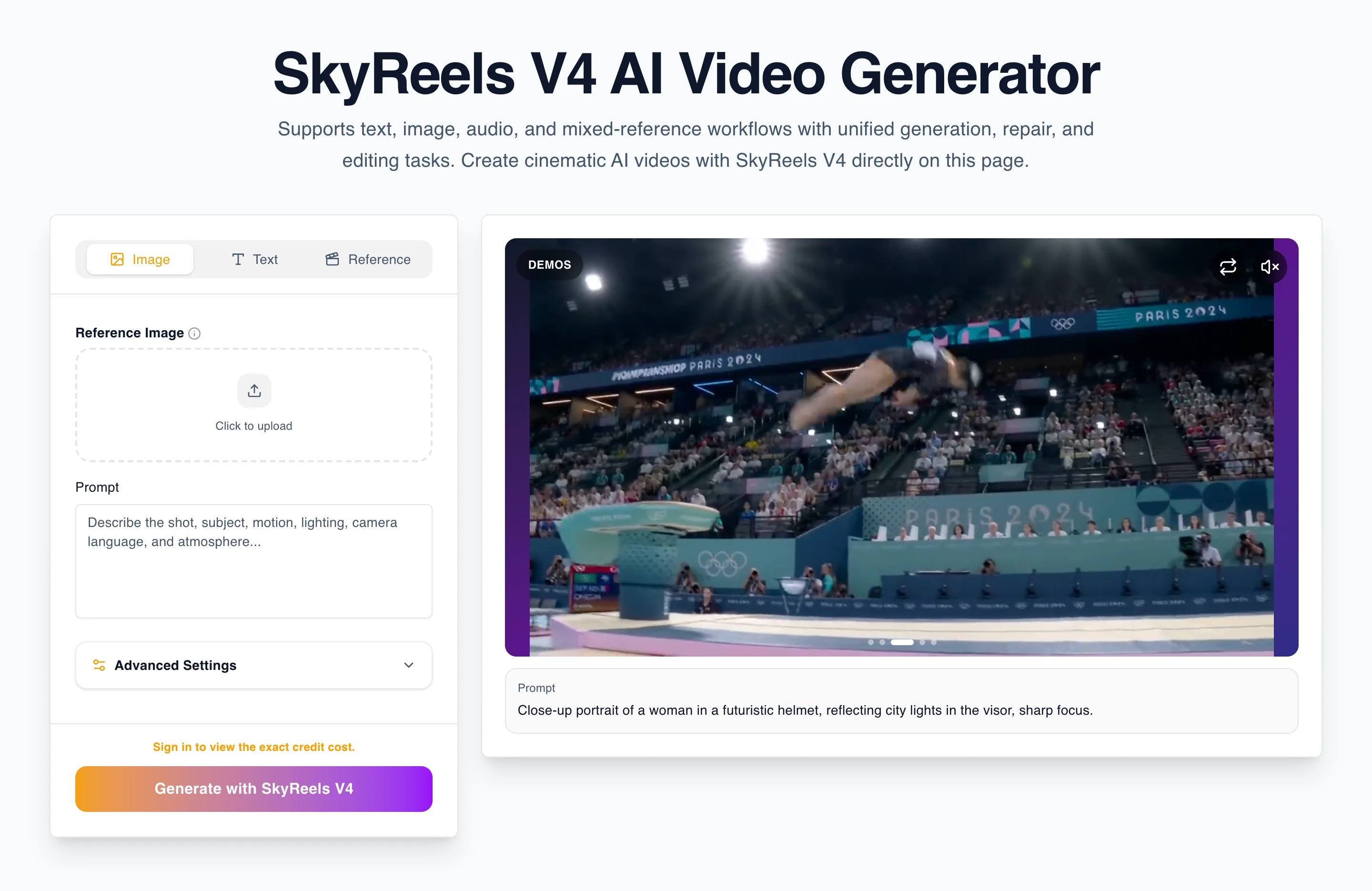
- real screenshot sequences
- prompt revisions with commentary
- examples split by use case
- image-reference examples
- audio-guidance examples
- side-by-side examples of weak vs strong prompts
- a short section on when to choose V3 vs V4
A practical publishing checklist for this page
Before considering this guide fully mature, check:
- does it answer tutorial intent without drifting into review intent?
- does it include real screenshots?
- does it include prompt revision examples?
- does it route readers into product, review, comparison, and pricing pages?
- does it use long-tail phrasing naturally instead of stuffing keywords?
- does it feel like a real operator wrote it after using the workflow?
That final question matters more than any single formatting rule.
Final checklist for better SkyReels V4 prompts
Before you hit generate, ask:
- Is the subject clear?
- Is the action singular and understandable?
- Is the environment specific enough?
- Is the camera behavior explicit?
- Did I define only the constraints that really matter?
- Do I need an image reference?
- Am I fixing one problem at a time?
If the answer is yes, your prompt is already stronger than most generic AI video instructions.
The key takeaway is simple: do not try to impress the model with fancy language. Give it a clear shot objective, a clear camera perspective, and references only where they materially improve the result. That is how SkyReels V4 becomes a workflow instead of a guessing game.
When you are ready to test the product directly, go back to SkyReels V4. If you want to see whether the model is convincing from a buying perspective, read the review. If you are deciding whether the workflow is worth paying for, check pricing. If you are comparing alternatives, read SkyReels V4 vs Sora.